
Sheet Lightning Pro6.21.10 - Download
You'll be able to download in few seconds.
Publisher Description
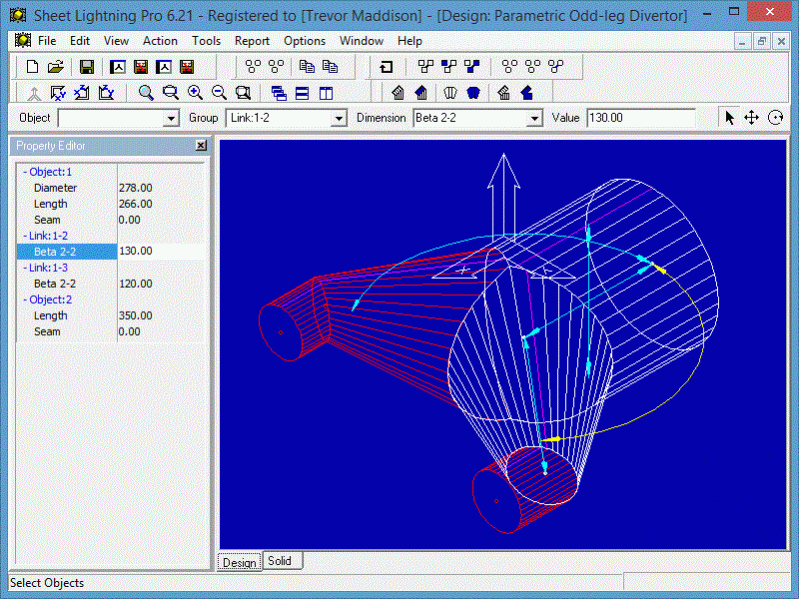
Sheet Lightning is a specialised engineering 2D/3D CAD System for creating and unfolding sheet metal designs for fabrication or manufacture. It handles everything from simple cylinders, cones, rectangular ducts and ovals, to adapters, adapting any of these section types, interections between any of these types and multi-intersections of any of these types. This enables it to handle breeches, lobster-back or segmented bend and very unusual or complex one-off designs. All pieces can have centre line offset and oblique or skewed sections. Simple designs are handled with ease through a second 'parametric' environment that requires only the typing of key dimension values to modify the design. A library of standard designs is included. Futhermore all designs created using the full 3D system can be automatically analysed and converted to a parameteric form, then saved as extensions to the existing library. The software integrates to general CAD systems via seamless DXF transfer, exporting both 2D patterns and 3D models. The product has been provensince the earlienst version in the worldwide market place since 1990, offering truly unique design capability.
About Sheet Lightning Pro
This CAD program is available in English, French. It was last updated on 29 September, 2026. Sheet Lightning Pro is compatible with the following operating systems: Windows.
The company that develops Sheet Lightning Pro is Revcad Ltd. The latest version released by its developer is 6.21.10.
The download we have available for Sheet Lightning Pro has a file size of 7.3 MB. Just click the green Download button above to start the downloading process. The program is listed on our website since 2015-06-06 and was downloaded 0 times. We have already checked if the download link is safe, however for your own protection we recommend that you scan the downloaded software with your antivirus. Your antivirus may detect the Sheet Lightning Pro as malware if the download link is broken.
How to install Sheet Lightning Pro on your Windows device:
- Click on the Download button on our website. This will start the download from the website of the developer.
- Once the Sheet Lightning Pro is downloaded click on it to start the setup process (assuming you are on a desktop computer).
- When the installation is finished you should be able to see and run the program.
Program Details
System requirements
Download information
Pricing
Version History
version 6.21.0.7
posted on 2015-06-06
New features and improvements
DXF Import
Design chutes
Complex Intersections
Minor fixes
And more!
version 6.12
posted on 2011-07-08
Design chutes, DXF Import, Complex Intersections
Disclaimer
External Download
We do not host Sheet Lightning Pro on our servers. We did not scan it for viruses, adware, spyware or other type of malware. This app is hosted by the software publisher and passed their terms and conditions to be listed there. We recommend caution when installing it.
The external download link for Sheet Lightning Pro is provided to you by apps112.com without any warranties, representations or guarantees of any kind, so access it at your own risk.
If you have questions regarding this particular app contact the publisher directly. For questions about the functionalities of apps112.com contact us.
